
Building a new website used to begin with a brief, a blank design file or a stack of templates. Today it often begins with a blank AI chat. The technology changed. The hardest first question did not: what should this website actually say, look like and do for your business?
That's the question DMXReady is designed to help you answer before you start coding.
The idea is simple: we prepare. Your AI builds.
DMXReady helps you move from your business idea to original website direction, and then into a portable set of materials your chosen coding AI can use. We do not automatically publish a finished website or require you to use a proprietary site builder.
You keep the ability to review and improve the website, choose your tools and arrange your own hosting.
Step 1. Describe your business—free
Start by telling DMXReady what your business does, who you serve and what visitors should be able to do. You don't need a design brief, a sitemap or a collection of AI prompts. Your business is the starting point, not a recycled template.
Start your free website preview.
Step 2. See an original visual preview—free
DMXReady creates a private visual direction informed by your description. It's a chance to see where your website could go before purchasing anything. The preview is not a working, hosted or editable website, and it does not include a ZIP download.
Look at the direction. Think about whether it reflects your customers, your personality and your goals. If you like it, you can choose to go further.
Step 3. Get your Smart Website Kit—US$95 once
The Smart Website Kit is a made-to-order ZIP containing your website direction, planned pages, writing, original or appropriately licensed assets, instructions and proposed Smart Capability guidance. It's meant to remove the blank-page struggle, not to promise a site is already built.
Applicable taxes are included in the US$95 price. After payment, DMXReady prepares and reviews the personalized Kit; secure download follows the required quality, source and rights checks. It is not an instant checkout download. If we cannot deliver the completed Kit, we refund your purchase.
See what is inside the Smart Website Kit.
Step 4. Upload your ZIP to a capable AI coding workspace
Download the completed ZIP and upload it to a coding-capable ChatGPT, Claude or other suitable workspace. The included START-HERE.md file explains how to use the website materials. A capable coding environment can create pages, organize assets and produce working source you can review and refine.
Not every standard chat can edit project files, run code or deploy a site. AI workspace access, domains, hosting and any external integrations may cost extra. Smart Capability plans in the ZIP are not automatically activated services. You still need to test navigation, mobile layouts, forms, accessibility and any integrations before publishing.
Proof: one Kit, two independent working websites
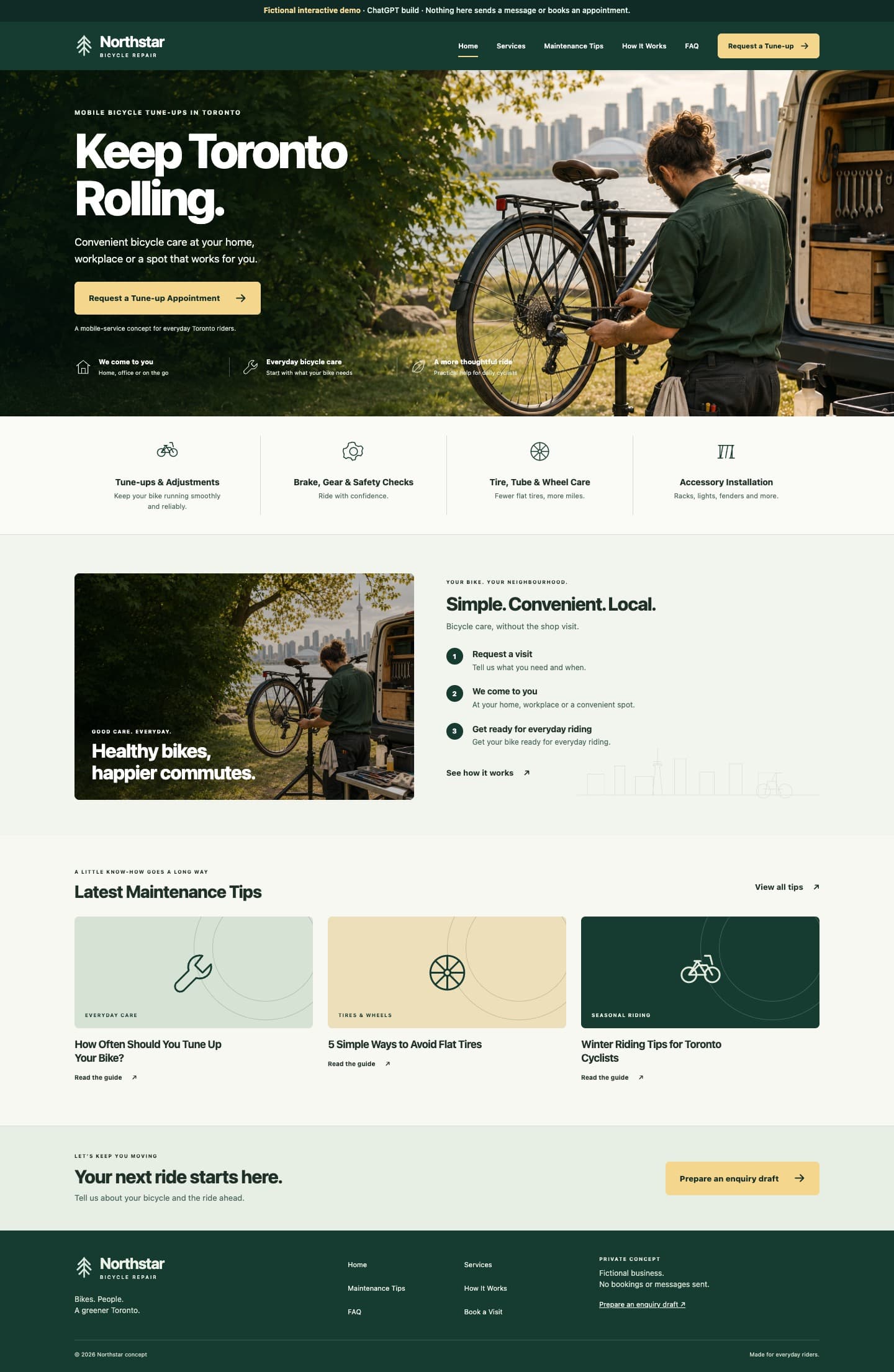
To demonstrate this handoff, we used a fictional business called Northstar Bicycle Repair. The same Kit went into ChatGPT and Claude coding workflows. Each produced a real, navigable six-page website. Their designs are distinct because the coding tools made their own implementation choices.
Northstar is a demonstration, not a paid customer success claim. The point is to show the workflow rather than promise a particular result, delivery time or financial saving.
Compare the actual ChatGPT and Claude builds.
Keep the freedom to choose what happens next
Your new website is a project you can continue improving. Want to make a design change? Go back to your capable AI workspace and refine the source. Prefer a developer? Share the prepared materials with one under the applicable usage terms. Need professional development or management? Those are separate services, not part of the US$95 Kit.
We prepare everything. Your AI brings it to life. Start with a free preview and decide what comes next once you see your direction.
Explore the four simple steps or compare Free Preview and Smart Website Kit pricing.