
DMXReady Smart App

Link Hub

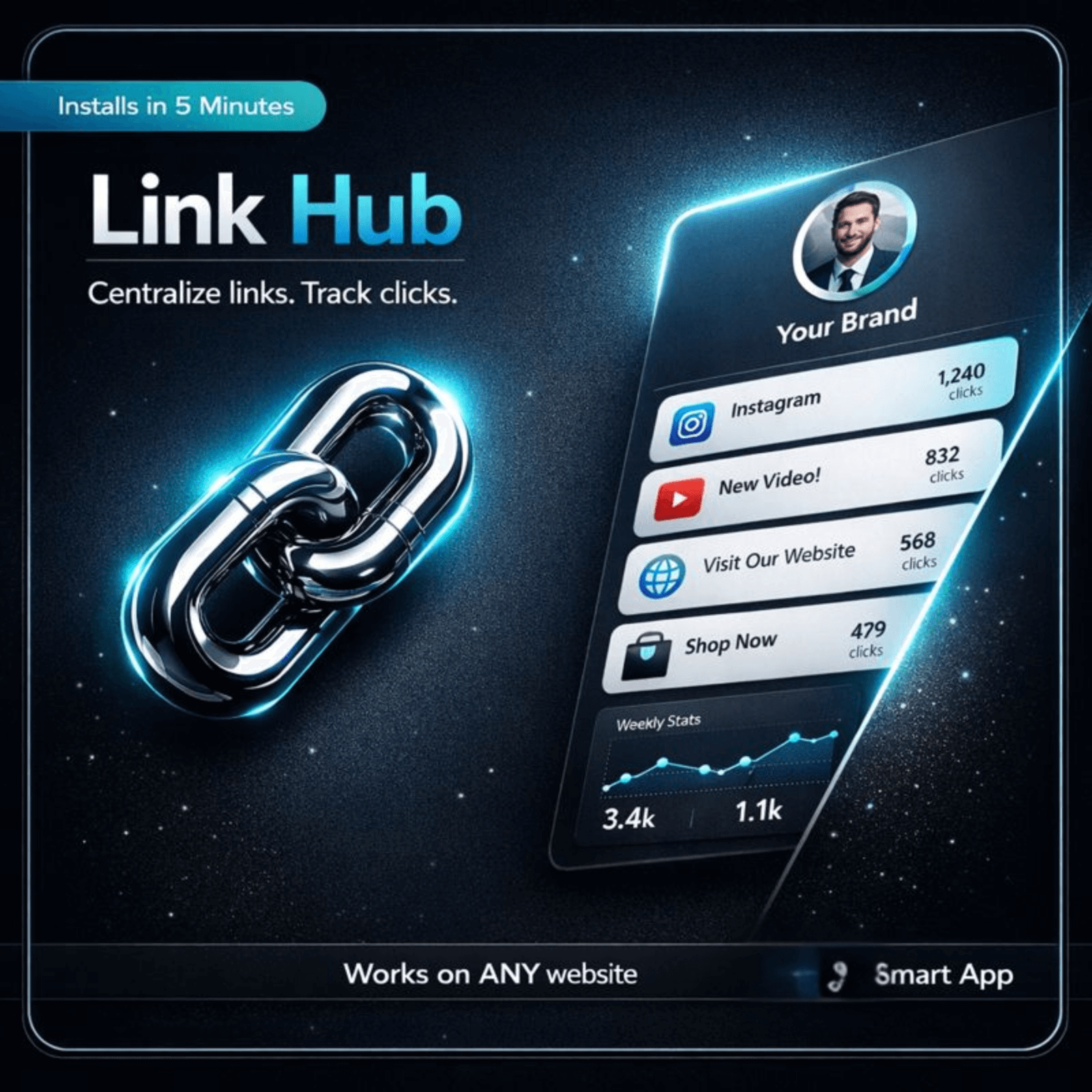
Launch a branded link hub anywhere on your site and help visitors find the right page faster.

Hosted-first lanePreview before commitDeploy later with credits
Link Hub cover

Start with the public experience.

Review what the visitor sees first, then move into setup only when the fit is clear.

Live proof

See the visitor experience live.

Start with the public experience first. Review the operator side only after the fit is clear.

Visitor AppWhat a visitor sees on a phone
Signature surface

What makes this app feel worth using

The page below should explain the value quickly: what the app does, what people get, and why it feels different from a generic widget.

Why it feels more helpful
  • Use the hub to make your most important links easier to find, trust, and click.
  • Create a clean page that sends people to the right destination fast instead of making them hunt through menus and bios.
  • Before: The page leaves visitors with too many unanswered questions.
  • After: Use the hub to make your most important links easier to find, trust, and click.
What ships with itGrouped links list · Optional social links · Featured link · Mobile-first layout
What it helps you do

What Link Hub helps you do

Organize links into clean sections so visitors find what they need faster.
Add icons, short descriptions, and call-to-action blocks for easier scanning.
Embed the hub on any page without rebuilding your site or redesigning your theme.
Update labels, order, destinations, and featured links from one simple admin view.
Keep the layout mobile-ready for phones, tablets, and narrow spaces out of the box.
Launch lightweight pages that load fast and stay easy to maintain over time.
Best fit

Best fit for teams that need a cleaner path from interest to action.

CreatorsBest for teams that need this job handled with less friction and a clearer next step.
AgenciesBest for teams that need this job handled with less friction and a clearer next step.
Website ownersBest for teams that need this job handled with less friction and a clearer next step.
Product teamsBest for teams that need this job handled with less friction and a clearer next step.
Launch model

Start hosted first.

Review the live surface first, add the app to a project, and deploy later with credits. 1 credit = 1 app on 1 site for 1 month.

Works on your current sitePreview before launchOwner controls later

Good metrics to watch: Clicks to key destinations · Top category engagement · Bounce rate from hub · Fallback help-form submissions

Operator view

Manage prompts, routing, and launch settings after the fit is clear.

Use the operator side to tune the experience after the buyer-facing value is clear.

Owner SettingsOverview, Editor, Settings, and Help
Next step

See the fit first. Launch when ready.

Preview the visitor experience, then add Link Hub to the project only if it fits the job.

Upgrade without rebuildingAdd a sharper contact experience without replacing the rest of your site.
Hosted firstStart with the live surface, validate fit, and deploy only when ready.
Deeper control laterTune prompts, routing, and owner settings after the public value is clear.

Works with your current website. Start small, validate fit, and go deeper only when it is worth it.

Final close image
Common questions

Questions people ask before they move.

What belongs on a link hub?
Your top CTA, your most important resources or offers, and any social or contact links people use often.
How many links should I include?
Only enough to be useful. Too many links can make the page feel noisy.
Can this work beyond social bio links?
Yes. It also works well for campaign pages, quick-start pages, and simplified navigation hubs.
Should every link have a description?
Short descriptions help when the destination is not obvious from the label alone.
Advanced WordPress path
Optional source-code lane for teams that specifically want WordPress code ownership.Review WordPress path