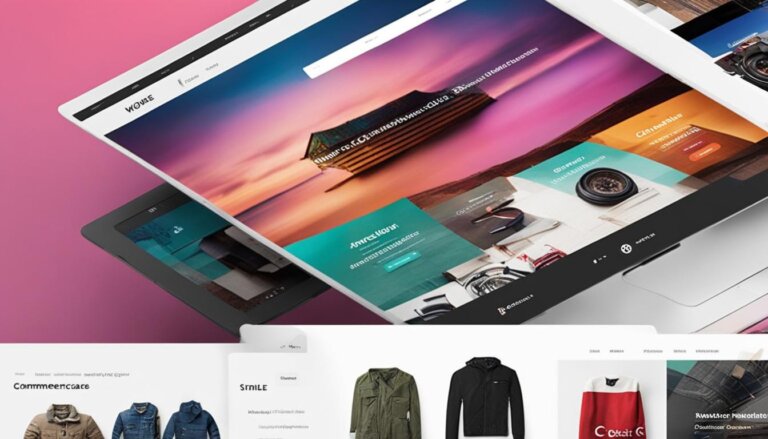

10 Best Practices for Optimizing Your WooCommerce Store
Are you looking to start an online store? WordPress is a great platform to use – and with WooCommerce, you can turn your WordPress site into a fully functioning online store in no time!
WooCommerce is a plugin for WordPress that enables you to turn your WordPress site into an online store. With WooCommerce, you can sell physical and digital products, manage inventory, take payments, ship orders, and more. Setting up a WooCommerce store is easy – all you need is a WordPress site and the WooCommerce plugin.
If you’re looking to start an online store, WordPress + WooCommerce is a great option. With WordPress, you can get started quickly and easily, and with WooCommerce, you can add all the features you need to run a successful online store.
Streamline Your Checkout Process
As the ecommerce landscape gets more and more competitive, it’s more important than ever to have a streamlined checkout process. By making the checkout process as easy and user-friendly as possible, you can increase sales and conversion rates. Here are a few tips to streamline your checkout process:
- Make sure your site is mobile-friendly: More and more people are shopping on their mobile devices, so it’s important to have a site that looks great and is easy to navigate on a mobile device. If your site isn’t mobile-friendly, you’re likely losing out on sales.
- Use a single page checkout: A single page checkout is much easier for customers to use and navigate than a multi-page checkout. By having all of the necessary information on one page, you can make the checkout process quicker and smoother.
- Use auto-fill forms: If you can, use auto-fill forms to make the checkout process even easier. This way, customers don’t have to waste time filling out forms – the information will be automatically filled in for them.
- Offer multiple payment options: Offer multiple payment options so that customers can choose the one that’s best for them. The more payment options you offer, the more likely you are to make a sale.
- Use customer testimonials: Customer testimonials can be extremely valuable in increasing sales. By showing potential customers what others have said about your product or service, you can increase confidence in your offering and increase the likelihood of making a sale.
By following these tips, you can streamline your checkout process and increase sales. Making the checkout process as easy and user-friendly as possible is essential in today’s competitive ecommerce landscape.
Improve Your Website Performance
Websites are no longer a “nice to have” for businesses – they’re now essential for anyone who wants to remain competitive. But with website traffic levels rising and customer expectations increasing, it’s more important than ever to ensure your website is performing at its best. Fortunately, there are some relatively easy steps you can take to improve your website performance.
- Use a content delivery network (CDN): A CDN is a network of servers located around the world that deliver content to users based on their geographic location. By using a CDN, you can improve the speed and availability of your website as well as reduce the load on your server.
- Optimize your images: Images are one of the biggest culprits when it comes to slow loading pages. But by optimizing your images – that is, reducing their file size without compromising quality – you can significantly improve your website’s performance.
- Minimize HTTP requests: HTTP requests are what your browser makes to a server in order to retrieve the files that make up a web page. The more files a page has to load, the longer it will take to load. Therefore, by minimizing the number of files required to load a page, you can reduce its loading time.:
- Use caching: Caching is a technique that stores frequently accessed data in memory so that it can be quickly accessed later. By using caching, you can dramatically improve the performance of your website, especially for users who regularly visit your site.
- Enable compression: Compression is a technique that reduces the file size of your web pages and CSS files. By doing this, you can decrease the amount of time it takes to transfer data from your server to a user’s browser.
- Reduce the number of plugins you use: Plugins are small pieces of software that add features to your website. While they can be very useful, they can also slow down your site. Therefore, it’s important to only use the plugins that are absolutely essential for your website and to delete any that you’re not using.
- Upgrade to a faster hosting plan: If you’re using a shared hosting plan, you may be sharing server resources with other websites. This can lead to slower loading times, especially during peak traffic periods. Upgrading to a faster hosting plan, such as a virtual private server (VPS) or a dedicated server, can help to improve your website’s performance.
- Use a content management system (CMS): If you’re not using a CMS, you may be missing out on some crucial performance-enhancing features. A CMS can help to reduce the filesize of your pages, enable caching, and compress your files. Additionally, many CMSs come with built-in performance optimization features that can further help to speed up your website.
By taking these steps, you can significantly improve your website’s performance and ensure that it’s able to handle the increasing traffic levels and demands of today’s online world.
Reduce Cart Abandonment
Websites are no longer a luxury; they’re now a necessity for businesses in nearly all industries in order to remain competitive. A website that is slow, unresponsive, or difficult to navigate is a huge turnoff for potential customers and can end up costing you business. In today’s age of instant gratification, people expect a fast, smooth, and easy online experience, and if your website can’t provide that, they’ll quickly go to a competitor who can.
That’s why it’s so important to make sure your website is performing at its best. Here are a few tips to help you improve your website performance and keep your visitors happy:
1. Optimize your images
Images are one of the biggest culprits when it comes to slow loading times. Make sure all of the images on your website are properly optimized for the web so that they load quickly. You can do this by using an image compression tool like TinyPNG.
2. Use a content delivery network (CDN)
A CDN is a network of servers that delivers content to users based on their geographic location. By using a CDN, you can ensure that your website loads quickly for visitors all over the world.
3. Minimize HTTP requests
HTTP requests are generated whenever a user tries to access a file on your website. The more files your website has, the more HTTP requests will be generated, and the longer it will take for your website to load. To minimize HTTP requests, you can combine multiple files into one (e.g., combine all JavaScript files into a single file) and use CSS sprites.
4. Enable browser caching
Browser caching allows visitors to your website to store certain files on their local computer so that they don’t have to download them every time they visit your site. This can help reduce loading times, particularly for visitors who have already been to your site before.
5. Use a fast web hosting provider
Your web hosting provider plays a big role in how quickly your website loads. If you’re using a shared host, you may want to consider upgrading to a VPS or dedicated server so that you have more resources at your disposal. Additionally, be sure to choose a web hosting provider with a good reputation for speed and uptime.
6. Implement AMP pages
AMP pages are special versions of web pages that are designed to load extremely quickly on mobile devices. If you have a lot of mobile traffic, implementing AMP pages can be a great way to improve your website performance.
7. Implement lazy loading
Lazy loading is a technique that delays the loading of certain elements on a web page until they’re needed. This can be especially helpful for pages with long articles or lots of images. By lazy loading images, for example, you can ensure that they only load when the user scrolls down to them.
8. Reduce the number of plugins you use
If you’re using WordPress, chances are you have a lot of plugins installed. While plugins can be very helpful, they can also add a lot of bloat to your website and slow down your loading times. If possible, try to reduce the number of plugins you use, and only keep the ones that are absolutely essential.
9. Use a lightweight theme
The theme you use on your website can also impact its performance. If possible, choose a lightweight theme that doesn’t have a lot of bells and whistles. You can also try using a simple framework like Bootstrap to build your site.
10. Keep your website up to date
One final thing to keep in mind is that it’s important to keep your website up to date. This includes updating your content regularly, as well as updating your plugins, themes, and software. By keeping everything up to date, you can help ensure that your website remains fast and responsive.
Optimize Product Pages for SEO
Product pages are essential for any ecommerce website. Not only do they need to be informative and user-friendly, but they also need to be optimized for search engine optimization (SEO). By optimizing your product pages for SEO, you can ensure that your products are more likely to show up in search engine results pages (SERPs), which can lead to more traffic and sales.
There are a number of ways to optimize product pages for SEO. First, make sure that your product titles are unique, and descriptive, and include relevant keywords. Your product descriptions should also be unique and informative, and should include any relevant keywords. Additionally, you’ll want to include high-quality product images, as well as customer reviews and testimonials. All of these elements can help to improve your SEO and attract more visitors to your product pages.
In addition to the on-page content, there are a few other things to remember when optimizing product pages for SEO. Make sure that your URLs are clean and include relevant keywords. And, create compelling and keyword-rich meta descriptions for each page. By following these tips, you can make sure that your product pages are optimized for SEO and attract more visitors.
Increase Visibility with Unique Offers
Is your business struggling to get noticed in a crowded marketplace? If so, you’re not alone. With more businesses competing for attention than ever before, it can be difficult to make your voice heard. But don’t despair – there are ways to increase your visibility and stand out from the competition.
One of the best ways to increase your visibility is to offer unique or unusual products or services. If you can offer something that nobody else does, you’re sure to get noticed. This could be something as simple as a new twist on an existing product or a completely new service that meets a need that nobody else is addressing.
Of course, offering unique products or services is only half the battle. You also need to make sure that potential customers are aware of what you’re offering. That’s where marketing comes in.
There are a number of marketing channels you can use to get the word out about your unique offerings, including online advertising, PR, content marketing, and social media. By using a combination of these channels, you can reach a wide audience and ensure that potential customers are aware of your business and what you have to offer.
So if you’re looking for ways to increase your visibility and stand out from the competition, consider offering unique products or services and using marketing to get the word out. With a little effort, you can make your business more visible and successful than ever before.
Increase User Engagement
As a business owner, you’re always looking for ways to increase user engagement on your website.
User engagement is defined as the level of interaction that a user has with your website.
There are a number of different factors that contribute to user engagement, including the design of your website, the quality of your content, and the overall user experience.
While there’s no one-size-fits-all solution for increasing user engagement, there are a few best practices that you can follow to make sure your website is optimised for engagement.
In this blog post, we’ll share 10 of the best practices for increasing user engagement on your WooCommerce website.
1. Use Attractive and Engaging visuals
Your website’s visuals play a big role in user engagement. In fact, studies have shown that humans are more likely to engage with content that is visually appealing.
When it comes to your website, this means using high-quality images, videos, and infographics. These visuals should be relevant to your product or service and help to tell your brand’s story.
In addition to using engaging visuals, you should also make sure that your website’s design is clean and clutter-free. Visitors should be able to easily find what they’re looking for on your website without feeling overwhelmed by too much information.
2. Write Compelling Headlines and Product Descriptions
Your headlines and product descriptions are another important factor in user engagement. After all, these are the first things that visitors will see when they land on your website.
Your headlines should be clear, concise, and attention-grabbing. They should sum up what your page or product is about and entice visitors to keep reading.
Your product descriptions should also be well-written and give visitors the information they need to make a purchase. Remember to use persuasive language and focus on the benefits of your product or service.
3. Use Customer Reviews and Testimonials
Customers reviews and testimonials are a great way to build trust and credibility with your visitors. When potential customers see that others have had a positive experience with your business, they’re more likely to engage with your website and make a purchase.
Make sure to showcase customer reviews prominently on your website and include testimonials from satisfied customers on your product pages.
4. Offer Live Chat Support
Offering live chat support is another great way to increase user engagement on your website. Live chat allows visitors to get their questions answered in real-time, which can improve the overall user experience.
In addition, live chat can also help to increase sales and conversions on your website. Studies have shown that websites with live chat support are more likely to convert visitors into customers.
5. Use Exit-Intent Popups
Exit-intent popups are a type of popup that is triggered when a visitor moves their mouse to leave your website. These popups can be used to display a special offer or discount code in an effort to get the visitor to stay on your website.
Exit-intent popups can be highly effective in increasing user engagement on your website. In fact, one study found that exit-intent popups can increase conversions by up to 70%.
6. Implement a Loyalty Program
Loyalty programs are a great way to encourage repeat business and increase customer loyalty. With a loyalty program, customers can earn points for every purchase they make, which can be redeemed for discounts or freebies.
Loyalty programs can also help you to gather valuable data about your customers, which can be used to improve the overall user experience.
7. Offer Free Shipping
Free shipping is another great way to increase sales and conversions on your WooCommerce website. In fact, studies have shown that free shipping is one of the most important factors in online shopping.
When offering free shipping, make sure to advertise it prominently on your website. You can do this by adding a banner to your homepage or displaying a popup when visitors add items to their cart.
8. Run a Contest or Giveaway
Running a contest or giveaway is a great way to increase user engagement on your website. Contests and giveaways give visitors an incentive to interact with your website and can also help to promote your products or services.
When running a contest or giveaway, make sure to choose a prize that is relevant to your target audience. You should also promote your contest or giveaway across all of your marketing channels to ensure maximum exposure.
9. Use Social Media
Social media is a great way to drive traffic to your website and increase user engagement. You can use social media to share your content, run promotions, and connect with potential customers.
Make sure to post engaging content that is relevant to your target audience. You should also post regularly and interact with users who comment on your posts.
10. Implement Google Analytics
Google Analytics is a free tool that allows you to track your website’s traffic and performance. With Google Analytics, you can see how visitors are interacting with your website and identify areas for improvement.
Google Analytics is a essential tool for any business owner who wants to increase user engagement on their WooCommerce website. By tracking your website’s performance, you can make data-driven decisions that will help to improve the overall user experience.
Utilize Reviews and Ratings
As an online shopper, have you ever considered the importance of product reviews and ratings? If you’re like most people, you probably have. In fact, studies show that nearly 90% of consumers read online reviews before making a purchase.
What’s even more interesting is that 68% of consumers say they trust reviews written by other consumers, even if they don’t know them. That’s because reviews and ratings provide valuable insights that can help shoppers make informed decisions about the products they’re interested in.
For businesses, reviews and ratings are also important. That’s because they can help you improve your products, better understand your customers, and boost your sales.
In this post, we’ll share 10 of the best practices for using reviews and ratings to grow your business.
1. Use Reviews and Ratings to Improve Your Products
One of the best ways to use reviews and ratings is to improve your products. After all, your customers are the ones using your products, so they’re the ones who know what’s working and what isn’t.
By reading through your reviews, you can get a better understanding of the problems your customers are having with your products. This can help you make the necessary changes to improve your products and make them even more appealing to your target audience.
2. Use Reviews and Ratings to Better Understand Your Customers
In addition to using reviews to improve your products, you can also use them to better understand your customers. This is because reviews can provide valuable insights into what your customers want and need from your products.
By reading through your reviews, you can get a better understanding of your customers’ pain points and what they’re looking for in a product. This information can be extremely valuable as you work to improve your products and grow your business.
3. Use Reviews and Ratings to Boost Your Sales
If you’re not using reviews and ratings to boost your sales, you’re missing out on a big opportunity. That’s because reviews can have a significant impact on your conversion rate. In fact, studies show that products with reviews have a conversion rate that’s nearly 4 times higher than products without reviews.
Furthermore, customers who read reviews are also more likely to spend more money on a purchase. So, if you want to boost your sales, make sure you’re leveraging reviews and ratings.
4. Use Reviews and Ratings to Build Social Proof
Another way to use reviews and ratings is to build social proof. Social proof is the idea that people are more likely to do something if they see others doing it. When it comes to online shopping, this means that people are more likely to buy a product if they see that others have bought it and liked it.
One of the best ways to build social proof is to display your reviews and ratings prominently on your website. When potential customers see that others have had a positive experience with your products, they’ll be more likely to buy from you as well.
5. Use Reviews and Ratings to Enhance Your SEO
In addition to boosting your sales and building social proof, using reviews and ratings can also enhance your SEO. This is because Google uses customer reviews as a ranking factor in its search algorithm.
This means that if you have positive reviews, you’re more likely to rank higher in Google’s search results. And, as we all know, ranking higher in Google’s search results can lead to more traffic and more sales.
6. Use Reviews and Ratings to Create Trust and Credibility
Another important benefit of using reviews and ratings is that they can help you create trust and credibility with your customers. In today’s world, there are so many choices for consumers, which makes it difficult for businesses to stand out. But if you have positive reviews and ratings, it will be much easier to build trust and credibility with your target audience.
7. Use Reviews and Ratings to Drive Traffic to Your Website
If you want to increase traffic to your website, one of the best things you can do is leverage reviews and ratings. This is because people are always searching for reviews before they make a purchase. So, if you have positive reviews, you’re more likely to show up in search results. And, as we all know, more traffic can lead to more sales.
8. Use Reviews and Ratings to Increase Customer Loyalty
In addition to boosting sales, using reviews and ratings can also help you increase customer loyalty. This is because happy customers are more likely to come back and buy from you again in the future. Furthermore, they’re also more likely to tell their friends and family about your business.
9. Use Reviews and Ratings to Get Feedback From Your Customers
Another great way to use reviews and ratings is to get feedback from your customers. This feedback can be extremely valuable as you work to improve your products and grow your business. By reading through your reviews, you can get a better understanding of what your customers like and don’t like about your products.
10. Use Reviews and Ratings to Stay Ahead of Your Competition
Finally, one of the best ways to use reviews and ratings is to stay ahead of your competition. In today’s competitive world, it’s important to always be looking for ways to improve your products and services. And one of the best ways to do that is by using reviews and ratings.
By reading through your reviews, you can get a better understanding of the areas where you need to improve. This will allow you to make the necessary changes to stay ahead of your competition and keep your customers happy.
Implement Payment Options
As an eCommerce business, it’s important to have a variety of payment options available to your customers. By offering a variety of payment options, you can make the checkout process more seamless and convenient for your customers.
Here are 10 best practices for implementing payment options on your WooCommerce site:
1. Use a Payment Gateway That Is Compatible With WooCommerce
There are many payment gateways available, but not all of them are compatible with WooCommerce. Be sure to use a payment gateway that is compatible with WooCommerce so that you can take advantage of all the features and functionality that WooCommerce offers.
2. Set Up Your Payment Gateway in the WooCommerce Dashboard
Once you have chosen a payment gateway, you will need to set it up in the WooCommerce dashboard. This is a simple process and only takes a few minutes.
3. Use a Secure Connection
When setting up your payment gateway, be sure to use a secure connection. This will help to keep your customers’ information safe and secure.
4. Choose the Right Currency
If you are selling products to customers in different countries, you will need to make sure that you choose the right currency. You can do this in the WooCommerce settings.
5. Enable Payment Methods
In the WooCommerce settings, you can enable or disable different payment methods. This is a great way to customize the checkout experience for your customers.
6. Set Up Automatic Orders
If you want to make things even easier for your customers, you can set up automatic orders. This way, customers can choose to pay for their order with their credit card or PayPal account and the order will be placed automatically.
7. Offer Free Shipping
One way to encourage customers to complete their purchase is to offer free shipping. This is a great incentive for customers who are on the fence about completing their purchase.
8. Use Discount Codes
Another great way to encourage customers to complete their purchase is to use discount codes. Discount codes can be applied at checkout and can give customers a percentage off their total purchase.
9. Offer Customer Support
If you want to really give your customers the best experience possible, you should offer customer support. This way, if there are any issues with the checkout process, you can help resolve them quickly and efficiently.
10. Use These Best Practices!
By following these best practices, you can be sure that you are offering your customers the best possible experience when they checkout on your WooCommerce site.
Leverage Social Media
As a business owner, you know that social media is a powerful tool to reach new customers and grow your brand. But what are the best ways to use social media for your business?
Here are 10 top social media best practices for businesses:
1. Use social media to create a strong relationship with your customers.
Make sure you are responsive to comments and questions. Show that you care about your customers and their experience with your brand.
2. Use social media to share your brand’s story.
Your customers want to know who you are, what you stand for, and what makes you different. Share your story on social media, and make sure it is consistent with the story you tell on your website and other marketing materials.
3. Use social media to drive traffic to your website.
Make sure your website is optimized for SEO and that your social media links lead to your website. Use effective calls to action on your social media posts to encourage your customers to visit your website.
4. Use social media to create valuable content.
Your customers will appreciate valuable content that is relevant to their interests. Share blog posts, infographics, images, and other types of content that will help your customers learn more about your brand and what you have to offer.
5. Use social media to stay top of mind.
Make sure your social media posts are timely and relevant, and that you are regularly sharing fresh content. If you can keep your brand top of mind, you’ll be more likely to convert leads into customers.
6. Use social media to create a strong call to action.
Your social media posts should have a strong call to action that encourages your customers to take the next step, whether it’s signing up for your email list, attending an event, or making a purchase.
7. Use social media to boost your SEO.
Include keywords in your social media posts and make sure your social media profiles are linked to your website. This will help your website rank higher in search engine results pages, and you’ll be more likely to be found by potential customers.
8. Use social media to run effective campaigns.
Social media campaigns can be a great way to promote special offers, drive traffic to your website, or increase brand awareness. Make sure your campaigns are well-planned and well-executed, and use analytics to track your results and adjust your approach as needed.
9. Use social media to monitor your reputation.
Regularly search for mentions of your brand, and respond quickly to any negative comments or reviews. You can also use social media to proactively manage your reputation by monitoring trending topics and chiming in with thoughtful comments when appropriate.
10. Use social media to have fun!
Your customers will appreciate seeing the human side of your brand, so don’t be afraid to have some fun on social media. Share behind-the-scenes photos, humorous posts, and other lighthearted content to show that there’s more to your brand than just business.
Establish a Return Policy
When you’re just starting out in eCommerce, it’s easy to get caught up in the excitement of making your first sale. But as your business grows, you’ll start to realize that returns are inevitable. In fact, according to a study by UPS, 8 out of 10 shoppers will check a store’s return policy before making a purchase.
That’s why it’s so important to have a clear and concise return policy in place from the very beginning. Not only will it give your customers peace of mind, but it will also save you a lot of headache down the road.
Don’t know where to start? Here are our top 10 tips for establishing a return policy that works for your business:
1. Keep it simple
Your return policy should be clear and easy to understand. Avoid using jargon or industry-specific terminology that your customers may not be familiar with.
2. Be transparent
Make sure your return policy is prominently displayed on your website and easy to find. Don’t try to hide it in the fine print – that will only frustrate your customers.
3. Be reasonable
Your return policy should be fair to both you and your customers. Avoid setting unrealistic expectations or making it too difficult for customers to return items.
4. Offer multiple return options
Most customers prefer to have multiple return options, so offer them if you can. For example, you could allow customers to return items by mail or in-store.
5. Make it easy to initiate a return
The process for initiating a return should be quick and easy. Ideally, customers should be able to start a return from your website without having to login or create an account.
6. Set clear timelines
Your return policy should include clear timelines for when customers can expect to receive a refund or exchange. 15-30 days is typically a reasonable timeframe.
7. Offer free returns
Free returns are becoming increasingly common, so offer them if you can. Customers are more likely to make a purchase if they know they can return the item for free if they’re not happy with it.
8. Communicate proactively
Keep your customers updated throughout the return process. Send them a confirmation email when they initiate a return and let them know when you’ve processed their refund or exchange.
9. Be flexible
There will always be exceptions to your return policy, so be prepared to be flexible when necessary. If a customer has a legitimate reason for returning an item outside of your policy, make an exception and help them out.
10. Use data to improve
Finally, make sure you’re using data to improve your return policy over time. Track return rates, customer satisfaction levels, and other metrics to identify areas where you can make changes.
Conclusion
As an ecommerce entrepreneur, you have the power to revolutionize your website and increase sales by embracing the best practices for Woocommerce. So, let’s get started and make your business soar!
Need help with your e-commerce business, contact DMXReady.com